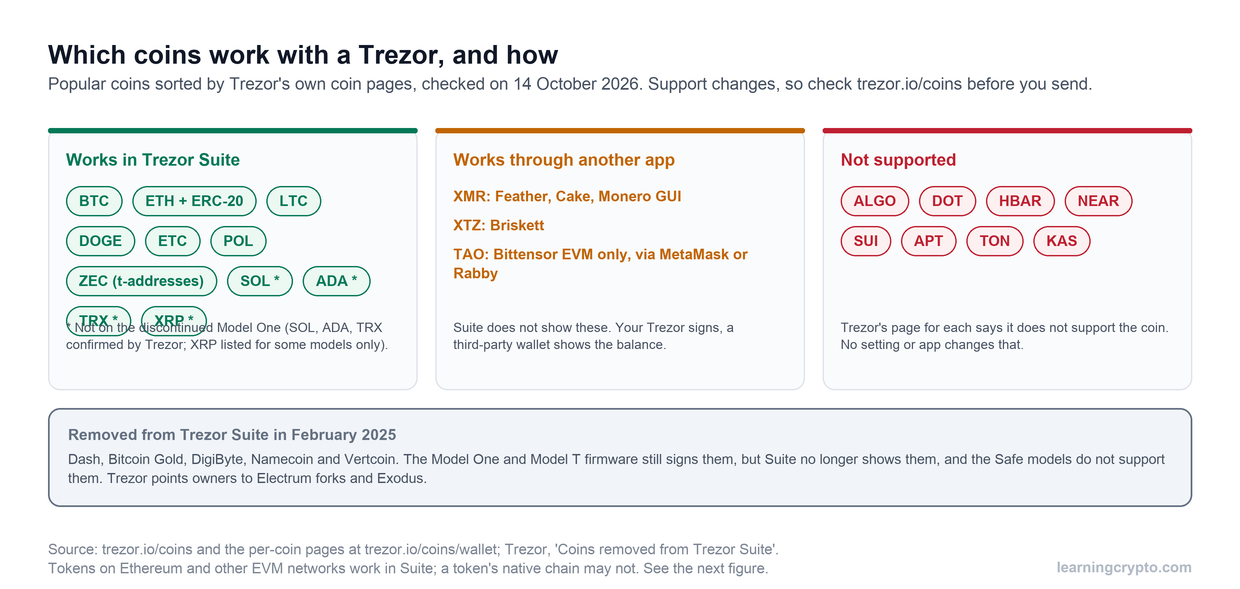

This guide is general education, not financial advice. Wallet apps, store listings and scam tactics change, so check each wallet's own website for its current guidance.
If you searched a wallet's name next to the word "scam", you are probably trying to work out whether an app, a link or a message is genuine. By the end of this guide you will know how wallet impersonation works, what the warning signs are, six checks to run before any install, and what to do if you think your wallet has been compromised.
What is a fake wallet app?
A fake wallet app is software that borrows the name, logo and screenshots of a real crypto wallet to steal your recovery phrase or private keys. Whoever holds the phrase controls the wallet, so they can restore it on their own device and send the funds out.
Ledger's educational guide on malicious wallets describes this pattern: imposter apps posing as well-known wallets, built to extract your private keys or seed phrase. The fake does not need to break any cryptography. It only needs you to type the words.
How do wallet impersonation scams work?
The scam runs in a short, predictable sequence, and the theft happens at the moment you enter your phrase, not when you install. Most of what follows is out of your sight, which is why people often do not notice for hours or days.
- You are pointed to a listing. Through a search result, an ad, a social reply or a direct message.
- The listing looks right. It copies the real wallet's name, logo and screenshots.
- The app asks for your phrase. It says you must "restore", "verify" or "regain access" to your wallet.
- The words are sent to the scammer. They restore your wallet on their own device.
- The funds move out. Blockchain transactions cannot be reversed.
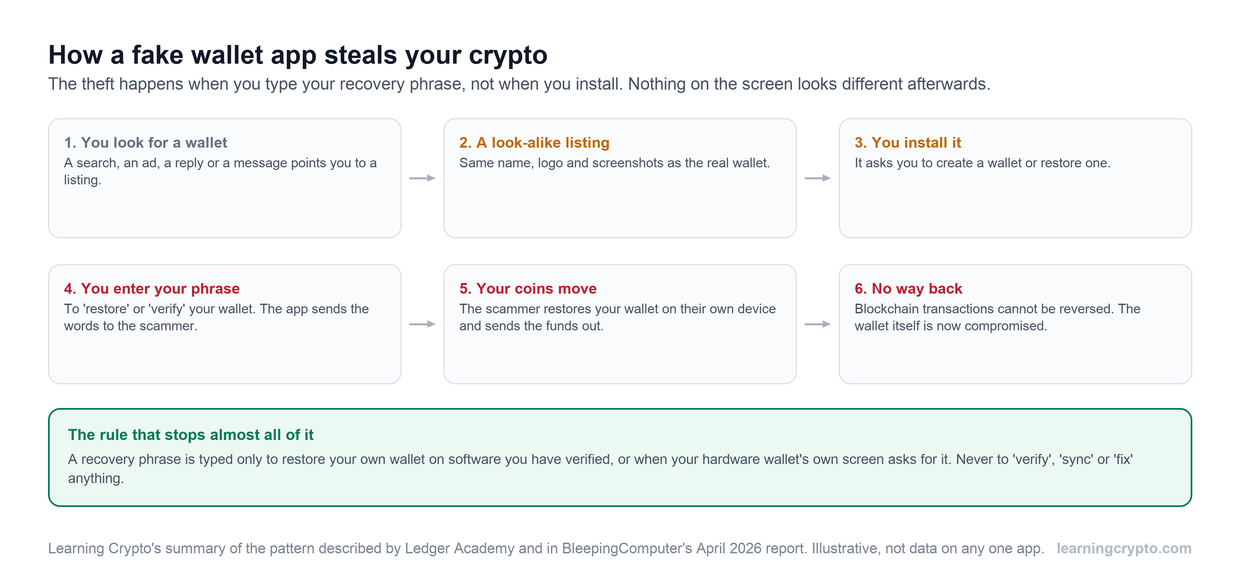
Typing the recovery phrase is the moment of theft. Nothing on your screen looks different afterwards, so check your balance on a blockchain explorer rather than trusting the app.
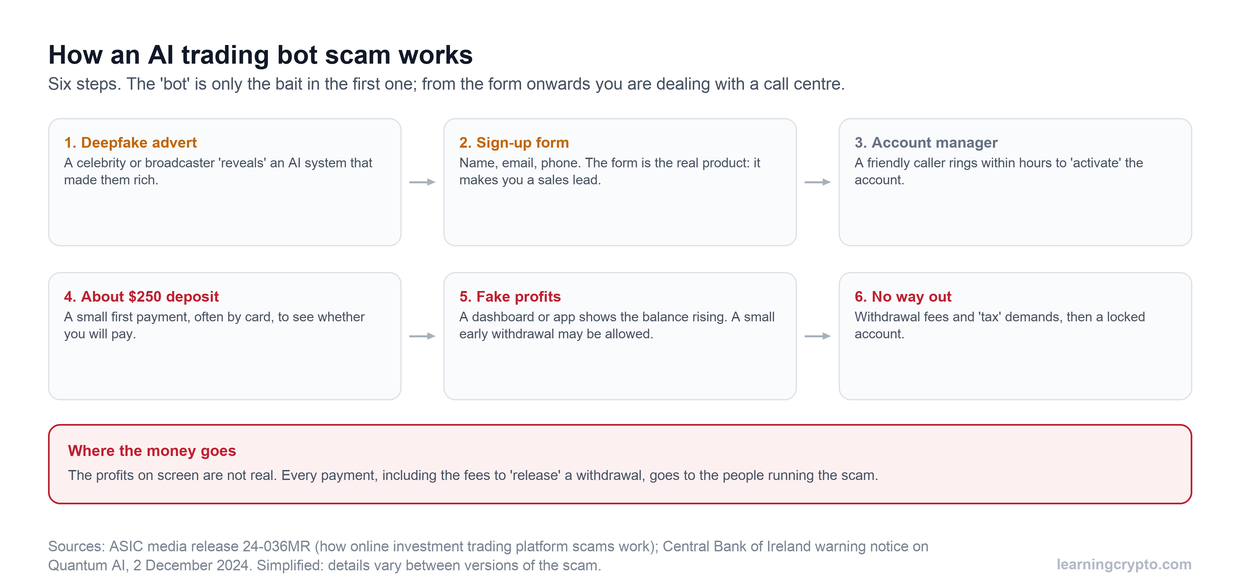
A related version targets investors, and the FBI has described it. In a notice dated 18 July 2022 it said criminals persuaded people to download fake crypto investment apps that used the names and logos of real firms, and put the losses it had identified at about $42.7 million across 244 victims. In one case it described, victims who tried to withdraw were told to pay "taxes" first, and still could not withdraw.
Can a fake wallet app be on an official app store?
Yes. Ledger Academy states plainly that official app stores also include fake and malicious apps designed to steal your crypto, so a store listing is not proof that an app is genuine.
A recent case shows why. On 14 April 2026 BleepingComputer reported that a fake app styled as a Ledger Live app on Apple's App Store had drained about $9.5 million from around 50 people, who were tricked into entering their recovery phrases. Apple removed the app after multiple user reports, which means the removal came after the losses. Treat the store as one place to look, not as a check.
Are Trust Wallet, SafePal, Sparrow and Trezor scams?
This guide does not audit any single wallet, and a search such as "Trust Wallet scam" does not on its own tell you anything about the real product. What it tells you is that well-known names are what impersonators copy. The useful question is whether the app, link or message in front of you is genuine.
The wallet makers give the same core advice. Trust Wallet's own FAQ says to keep your secret phrase offline because it is the only way to restore your wallet, and Sparrow's download page calls verifying the release a particularly important security step. Our guide on how to check a hardware wallet is genuine covers the same question for Trezor, Ledger and other devices you buy.
What are the warning signs of a fake wallet app?
Any request for your recovery phrase, outside the one situation where you restore your own wallet on software you have verified, is the clearest sign. Beyond that, watch for these:
- It reached you unasked. The FBI advises being wary of unsolicited requests to download investment apps, especially from people you have not met or whose identity you have not verified.
- The link came from a message. Email, text, chat or a social reply, even one that looks official.
- The publisher is not the wallet's company. The name on the listing should match the project exactly.
- It has odd reviews or few downloads for a wallet you know is popular, or was published recently.
- It works badly. The FBI's advice is to treat apps with limited or broken functionality with skepticism.
- You cannot withdraw, or you are told to pay a fee or "tax" first.
Never name or click a lookalike site to investigate it. Close it and go to the wallet's own website from a bookmark.
How do you download a wallet app safely?
Start from the wallet's own website, typed by you or from a bookmark, and follow its download links. Ledger Academy's advice is to check the wallet provider's official website before you download and install any app. Run these six checks, in this order.
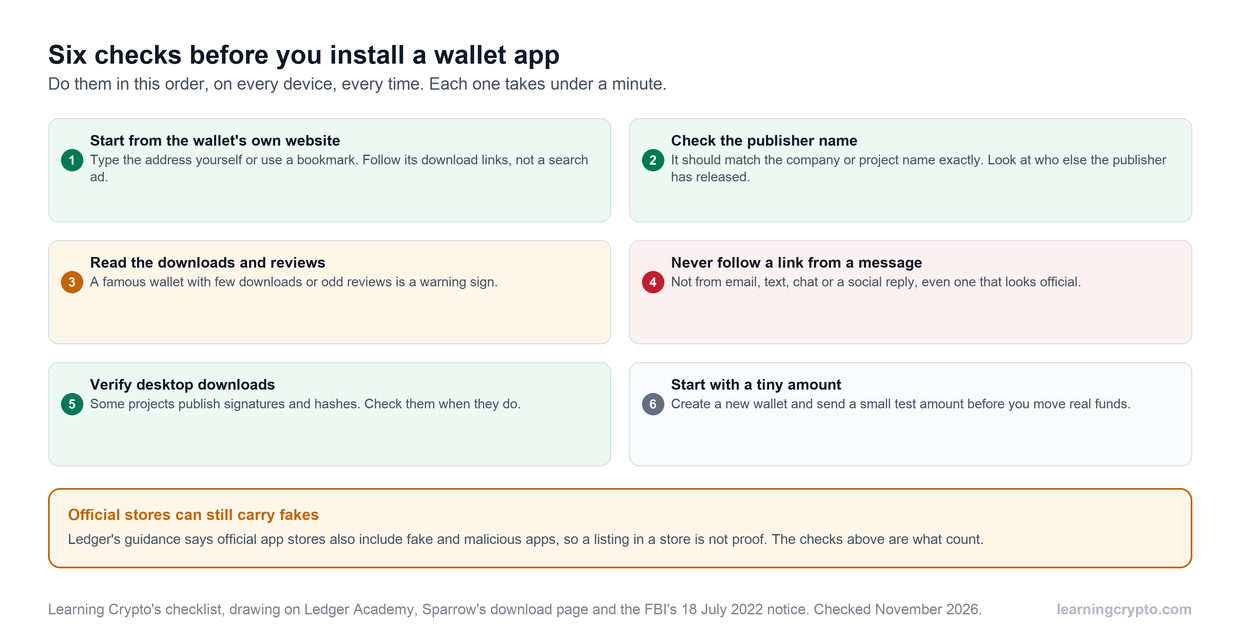
Each check takes under a minute. The two that stop most losses are starting from the official website and never following a link from a message.
For desktop software, some projects let you verify the file you downloaded. Sparrow's download page explains how to check a release's signature and hash, and calls it a particularly important step for Bitcoin software. If a wallet offers this, use it. The last check, a tiny test amount, costs a few cents in fees and tells you whether the wallet works before real money is at risk.
What are the signs your wallet has been hacked?
The main sign is a transaction you did not make. Search your own address on a blockchain explorer, because the app on your screen can be wrong or hidden, and the chain cannot. Our guide to how to use a blockchain explorer shows how.
- Balance gone or lower than it should be, with outgoing transactions you do not recognise.
- You typed your recovery phrase into an app, a website or a message, for any reason. Treat that wallet as compromised even if nothing has moved yet.
- Unfamiliar permissions. Approvals you did not grant can let a contract spend your tokens; see token approval phishing.
What should you do if you entered your recovery phrase into a fake app?
Move what is left to a new wallet straight away. Anyone who has the old phrase controls the old wallet, so it cannot be made safe again. Speed matters, because scammers sweep funds quickly.
- Create a new wallet from the official source, on a device you trust, with a new recovery phrase written offline.
- Send the remaining funds across, highest value first, and expect network fees.
- Stop using and delete the fake app, and do not reuse the old phrase anywhere.
- Report it. The FBI's notice asks people who suspect they were defrauded through fake crypto apps to contact the FBI through its Internet Crime Complaint Center or a local field office. Elsewhere, use your national fraud or cybercrime reporting service.
- Ignore anyone who offers to recover the funds for a fee. That is a second scam; see our guide to fake crypto support scams.
How do you protect your wallet long term?
Keep your recovery phrase offline and never type it into anything that is not your own wallet's restore screen. A hardware wallet that shows prompts on its own screen is harder to trick, as long as the device itself is genuine. Our guide to what a seed phrase is explains how to store one, and our crypto scams guide covers the wider playbook.
Members can ask Ask Crypto to walk through a listing or message you are unsure about, and more guides are in the Scams and Risk hub.
Frequently asked questions
What is a fake wallet app?
A fake wallet app imitates a real crypto wallet's name, logo and screenshots to trick you into entering your recovery phrase or private keys. Once the scammer has them, they can restore your wallet on their own device and move the funds out. Because blockchain transactions cannot be reversed, the loss is usually permanent, which is why prevention matters most.
Can an app store carry fake crypto wallets?
Yes. Ledger Academy states that official app stores also include fake and malicious apps designed to steal crypto. In April 2026, BleepingComputer reported a fake Ledger-style Mac app on Apple's App Store that drained about $9.5 million before Apple removed it. A store listing is therefore not proof of safety; start from the wallet's own website and check the publisher.
Will a real wallet ever ask for my recovery phrase?
Only when you restore your own wallet on software you have verified, or on a hardware wallet's own screen. A wallet should never ask you to enter the phrase to "verify", "sync", "validate" or "fix" anything, and no support agent needs it. If any app, site or person asks for the words for another reason, stop and treat it as a scam.
How can I tell if a wallet app is genuine?
Reach the download from the wallet's official website, typed yourself or from a bookmark. Check that the publisher name matches the company, read the download counts and reviews, and ignore links from messages. For desktop software, verify the signature or hash if the project provides them. Finally, test with a small amount before moving real funds.
What should I do if I think my wallet was drained?
Check your address on a blockchain explorer to confirm what moved, then create a new wallet with a new recovery phrase on a trusted device and move any remaining funds across. Stop using the old wallet, report the scam to your national fraud service (in the US, the FBI's IC3), and ignore anyone offering to recover your funds for a fee.
Are wallet scam warnings about the real wallets?
Usually they warn about impersonators, not about the genuine software. Scammers copy popular names because people trust them. Judging a wallet takes more than a search for the word "scam": read the maker's own security guidance, install only from its official site, and keep your recovery phrase offline. This guide has not audited any wallet's code.
Keep learning
- How to Check a Hardware Wallet Is Genuine, and What the Checks Miss
- How to Avoid Crypto Scams in 2026: The Common Scams and the Red Flags
- Fake Crypto Support Scams: How the Con Works
- What Is a Seed Phrase, and How Do You Secure It?
- Token Approval Phishing: How Wallet Drainers Empty Wallets
- More guides in the Scams and Risk hub
- Free headlines: the Learning Crypto news feed on Telegram