
If you're new to cryptocurrency, one of the first confusing moments comes when you try to receive your first crypto.
Instead of a simple username or account number, you'll see something like "0x742d35Cc6634C0532925a3b844Bc9e7595f0bEb," a long jumble of random-looking letters and numbers.
Thankfully, you don't need to memorize it, type it out, or even fully understand the math behind it to use crypto successfully. Your wallet address is simply the destination where people send you cryptocurrency. It's public information that's safe to share, safe to screenshot, safe to post (though we'll talk about when you might not want to).
What matters is understanding how addresses work to keep your crypto safe. Crypto transactions are permanent. There's no undo button to click. Getting comfortable with wallet addresses before moving money isn't optional; it's how you avoid costly mistakes that can't be fixed.
Quick Takeaways: Understanding Wallet Addresses
Your wallet address is a public identifier for receiving crypto. It’s safe to share, but specific to each blockchain.
Addresses are generated from your private keys through one-way cryptographic functions.
Bitcoin, Ethereum, and other cryptocurrencies use completely different address formats that aren't interchangeable.
Sending crypto to the wrong address or network means permanent loss; blockchain transactions cannot be undone.
Nowadays, wallets handle most of the complexity automatically, but verifying addresses before sending is always your responsibility.
Crypto Wallet Address Basics
What Is a Wallet Address?
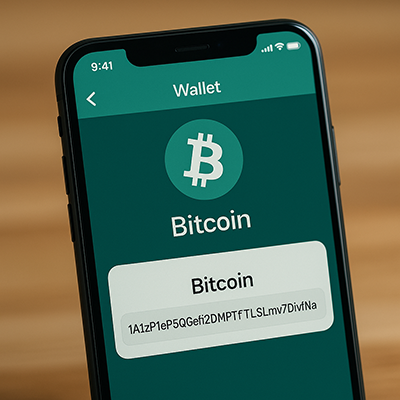
A crypto wallet address is your receiving number on the blockchain. When someone wants to send you cryptocurrency, this is what they need from you.
The address itself is just a string of characters, typically between 26 and 42 characters long, mixing numbers and letters in what looks like complete chaos.
But that chaos is intentional. Your wallet address is derived from complex math (cryptographic hashing, if you want the technical term) that makes it virtually impossible for someone to work backwards and figure out your private keys.
That's why you can post your address publicly, share it in messages, or display it as a QR code without worrying about security.
What makes addresses unique is that they're public by design, permanent once created, and specific to the blockchain they're created for. You can't use a Bitcoin address to receive Ethereum, just like you can't deposit euros into a dollar-only account.
Addresses vs. Private Keys vs. Seed Phrases
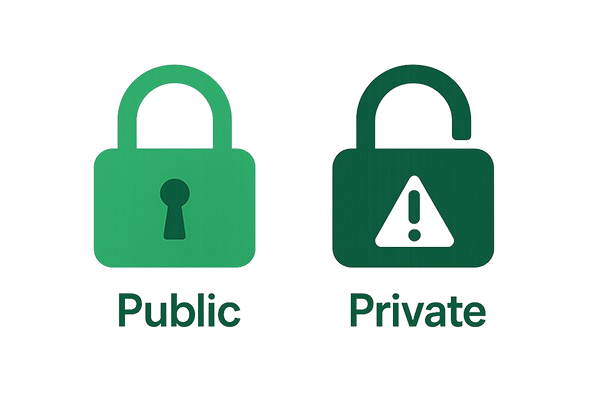
This is where many beginners get confused, so let's clear it up with the components that control your crypto.
Your wallet address (public):
Safe to share with anyone
Used only for receiving cryptocurrency
Visible on the blockchain to everyone
You can generate multiple addresses from one wallet
Example length: 26-42 characters
Your private key (secret, never share):
Controls access to your funds
Proves you own the cryptocurrency at that address
Typically 64 hexadecimal characters
If someone gets this, they own your crypto
Stored in your wallet, usually invisible to you
Your seed phrase (Also secret, don’t share):
Usually 12-24 everyday words
Generates all your private keys and addresses
Acts as a master backup for your entire wallet
Written down and stored offline
Example: "witch collapse practice feed shame open despair creek road again ice least"
Here's the relationship: your seed phrase generates your private keys, and your private keys, in turn, generate your wallet addresses.
You share addresses freely. You guard private keys and seed phrases with everything you have.
Most modern wallets conceal the complexity of the private key entirely. You'll interact with addresses (for receiving) and your seed phrase (for backup), but rarely see the private keys themselves. The wallet handles the cryptographic heavy lifting behind the scenes.
How Wallet Addresses Are Generated
The Technical Process (Simplified)
You don't need to know this to use crypto, but here's what happens when your wallet creates an address:
1. Generate a private key: Your wallet creates a massive random number. We're talking so large that the chances of anyone else randomly generating the same one are basically zero, akin to winning the lottery a thousand times in a row.
2. Create a public key: That private key gets processed through elliptic curve cryptography to make a public key. This is a one-way trip; the private key always creates the same public key, but you can't reverse engineer it back.
3. Hash the public key: The public key gets scrambled through cryptographic hashing (SHA-256 and RIPEMD-160 for Bitcoin, Keccak-256 for Ethereum). What comes out bears no resemblance to what went in, but the same input always produces the same output.
4. Add formatting and checksum: The hash gets converted into a readable format using encoding systems like Base58 or Bech32. A checksum gets tacked on to catch typos.
5. You get your address: Done. Your wallet address is ready to receive crypto.
The whole process happens in milliseconds, and your wallet handles every step automatically.
Why This Process Matters
The magic here is that everything flows in one direction only.
Your address is public. Anyone can see it; look up your transactions and check your balance. But they absolutely cannot work backwards to find your private key. The math doesn't allow it. Not with current technology, not in any reasonable timeframe, not ever.
So sharing your address? Completely safe. It's like giving someone your mailing address. They know where to send stuff, but that doesn't hand them your house keys.
The process is also deterministic. Same private key, same address, every single time. This is how you can restore your wallet from your seed phrase months or years later; it recreates everything exactly as it was.
Hierarchical Deterministic (HD) Wallets
Wallets don't just create one random address and call it a day. They use HD (Hierarchical Deterministic) technology to generate an unlimited sequence of addresses from your single seed phrase.
Your wallet can create a fresh address for every transaction. Each one looks completely different and unrelated to the others. But they're all controlled by that same seed phrase you wrote down when you first set up your wallet.
Privacy win: using different addresses makes it much harder for people to connect all your transactions together.
Convenience win: you never need to back up your wallet again after that first time. That original seed phrase always regenerates every address you've created.
Bitcoin uses standards called BIP-32 and BIP-44 for this. Ethereum does something similar. Your wallet manages everything behind the scenes, creating new addresses when you need them, monitoring all of them for incoming payments.
Why Addresses Look Random
Cryptographic hashing is designed to create output that looks completely unpredictable. You can't examine an address and work out what private key made it. You can't guess what the next address in the sequence might be.
This randomness also makes accidental collisions nearly impossible. The character combinations are so specific that typing an address wrong almost always creates something invalid that your wallet will reject outright.
And there's nothing personal in there. Your address doesn't encode your name, location, email, or anything else tied to your real identity. It's just a mathematical output that exists independently of who you are in the real world.
Different Types of Wallet Addresses by Blockchain

Let's look at actual addresses from different blockchains so you know what you're dealing with.
Bitcoin Address Formats
Bitcoin has evolved over the years, which means you'll encounter three different address formats. They all work, but each has distinct characteristics.
Legacy Addresses (P2PKH)
These start with the number "1": 1A1zP1eP5QGefi2DMPTfTL5SLmv7DivfNa
Legacy addresses are the original Bitcoin format, introduced with Bitcoin itself back in 2009. They're still completely valid and widely supported across every wallet and exchange. The downside? They cost the most in transaction fees because they take up more space in each block.
You'll use legacy addresses when you need maximum compatibility with older systems or when the recipient specifically requests this format.
SegWit Addresses (P2SH)
These start with the number "3": 3J98t1WpEZ73CNmYviecrnyiWrnqRhWNLy
SegWit (Segregated Witness) addresses came along as Bitcoin's first major upgrade to reduce fees and increase transaction capacity. These wrapped SegWit addresses offer a middle ground—better fees than legacy, but not quite as efficient as the newest format.
Some older systems that couldn't handle the original SegWit format can work with these. They're becoming less common as most services have moved to full SegWit support.
Native SegWit Addresses (Bech32)
These start with "bc1": bc1qxy2kgdygjrsqtzq2n0yrf2493p83kkfjhx0wlh
Native SegWit is the current standard for Bitcoin. Lowest fees, best error detection, most efficient use of block space. If you're setting up a new Bitcoin wallet in 2025, this is what you'll get by default.
The only reason not to use these? You're sending to someone with an ancient wallet that hasn't been updated in years. That's increasingly rare.
Taproot Addresses (P2TR)
These start with "bc1p": bc1p5cyxnuxmeuwuvkwfem96lqzszd02n6xdcjrs20cac6yqjjwudpxqkedrcr
Taproot arrived in 2021 as Bitcoin's latest upgrade with better privacy, even lower fees for complex transactions, and more sophisticated smart contract functionality.
Most wallets now support Taproot, but it's not yet the default everywhere. If privacy matters to you and you're comfortable being on the cutting edge, Taproot is worth using.
Ethereum and EVM-Compatible Addresses
Ethereum keeps things simpler - one address format across the board.
The Format: 0x742d35Cc6634C0532925a3b844Bc9e7595f0bEb
Every Ethereum address starts with "0x" followed by 40 hexadecimal characters (numbers 0-9 and letters a-f). That's it. One format, no confusion about which type to use.
This same address works across all Ethereum Virtual Machine (EVM) compatible chains. Polygon, Binance Smart Chain, Arbitrum, Optimism, Avalanche C-Chain. They all use identical address formats.
Same address, different networks. This is convenient but also dangerous, because you need to specify which network you're using when you send or receive. Your address 0x742d... exists on Ethereum, Polygon, BSC, and every other EVM chain simultaneously. Sending funds on the wrong network is one of the most common mistakes beginners make.
The Checksum Detail:
Ethereum uses something called EIP-55 checksum encoding. Notice how some letters in the address are uppercase and others lowercase? It's not random; it's a built-in error detection system.
If you copy an address and the capitalization is wrong, some wallets will warn you. It doesn't prevent the transaction, but it's a helpful safety check. Most wallets handle this automatically, so you don't need to worry about getting the capitalization perfect.
Other Major Blockchain Address Formats
Solana 7EcDhSYGxXyscszYEp35KHN8vvw3svAuLKTzXwCFLtV
Solana addresses are Base58 encoded and typically run 32-44 characters. No special prefix like Bitcoin's "bc1" or Ethereum's "0x" - they just start with whatever character the encoding produces.
Cardano (ADA) addr1qxy2kgdygjrsqtzq2n0yrf2493p83kkfjhx0wlh...
Cardano uses Bech32 encoding (same as Bitcoin's native SegWit) and addresses start with "addr1." These tend to be longer than most other blockchain addresses and can include built-in metadata about staking and other features.
Litecoin
Litecoin follows Bitcoin's format evolution closely. Legacy addresses start with "L," SegWit addresses start with "M", and native SegWit addresses start with "ltc1." If you understand Bitcoin address formats, Litecoin works exactly the same way.
Ripple (XRP)
Classic XRP addresses start with "r" and use Base58 encoding: rN7n7otQDd6FczFgLdlqtyMVrn3HMbjmLy
XRP also has X-Addresses that start with "X" and include a destination tag built directly into the address. This solves a common problem where people forget to include the separate destination tag, and their funds get stuck in limbo.
How to Find Your Wallet Address
In Mobile Wallets
Finding your address in a mobile wallet takes about five seconds once you know where to look.
Open your wallet app - Trust Wallet, MetaMask, Coinbase Wallet, whatever you're using. You'll see a list of the cryptocurrencies you hold or can receive. Tap the specific crypto you want to receive. Not "crypto in general," but the exact one. Bitcoin, Ethereum, Solana, whatever.
Look for a button that says "Receive" or "Deposit." Tap it.
Your address appears on screen, usually with a QR code right below it. There's a copy button somewhere nearby. Tap it to copy the address to your clipboard. Now you can paste it wherever you need to share it.
Some wallets, particularly Bitcoin wallets, might show you multiple addresses. That's normal for HD wallets. Any of those addresses work. They're all connected to your seed phrase. The wallet tracks them all automatically.
In Desktop Wallets
Desktop wallets work the same way, just with clicks instead of taps.
Launch your wallet software. Exodus, Electrum, Ledger Live, whatever you've installed. Navigate to the specific cryptocurrency you want to receive. Most wallets organize by coin, so you'll need to select the right one.
Click the "Receive" tab or button. Your address shows up with a QR code. Click the address or the copy icon to copy it to your clipboard.
Many desktop wallets let you generate a new address on demand. This is a privacy feature. Using a fresh address for each transaction makes it harder for people to link all your transactions together. It's not required, but it's there if you want it.
In Hardware Wallets
Hardware wallets add an extra verification step. Don't skip it.
Connect your hardware device to your computer or phone. Ledger, Trezor, whatever you have. Open the companion app (Ledger Live, Trezor Suite, etc.). Select the cryptocurrency account you want to receive funds in.
Click "Receive." Here's where hardware wallets differ from everything else.
The address appears on your computer screen, but that's not enough. Your hardware wallet displays the same address on its own screen. You need to verify that both addresses match. Character by character, or at least the first six and last six characters.
Why? Malware on your computer can change the address displayed on screen. If your computer is compromised, it might show you one address while secretly changing what gets copied to your clipboard. The hardware wallet's screen can't be hacked remotely, so it shows the true address.
On Exchanges
Exchange addresses work a bit differently from personal wallet addresses.
Log in to your exchange account - Coinbase, Kraken, Binance, whatever platform you use. Navigate to the wallet or deposit section. This is usually under a menu labeled "Wallet," "Assets," or "Funds."
Select the specific cryptocurrency you want to deposit. Click "Deposit" or "Receive."
The exchange generates an address for you. Pay attention here. Some cryptocurrencies will ask you to select a network before showing the address. Ethereum tokens might give you options for the Ethereum mainnet, Polygon, or BSC. Make sure you select the same network the sender is using.
Important warning: Exchange deposit addresses can change. The exchange might rotate addresses periodically for security or operational reasons. Never save an exchange address long-term. Always get the current address right before you need it.
Multiple Addresses in One Wallet
If you're using an HD wallet, and most modern wallets are, your seed phrase can produce an endless sequence of addresses. Each one looks completely different and unrelated to the others. But they're all linked to your seed phrase, which means you control all of them.
This gives you a privacy advantage. Using a new address for each transaction makes it much harder for someone to track all your crypto activity by following one address. Some people receive everything to one address anyway because it's simpler. Others generate a fresh one every time. Both approaches work fine.
All your addresses can receive funds simultaneously. Your wallet monitors every address it's ever generated, automatically checking for incoming transactions.
How to Use Wallet Addresses Safely

Receiving Cryptocurrency
Select the correct cryptocurrency and network. Before sharing your address, verify you're looking at the exact coin the sender is using. If the cryptocurrency exists on multiple networks (like USDT on Ethereum, Tron, or Polygon), confirm which network they're sending from.
Copy carefully. Use your wallet's copy button. Never manually type addresses. After copying, paste it somewhere visible and verify the first and last six characters match what's in your wallet. Some malware swaps clipboard contents.
Share and double-check. Send the full address or QR code. Verify those first and last six characters one more time before sending. Use secure communication and avoid posting addresses publicly with identifying information.
Monitor the transaction. Once sent, track it using a blockchain explorer. Different blockchains need different confirmation counts. Bitcoin needs 6, Ethereum needs 12-20. Your wallet shows "pending" until confirmations complete.
Sending Cryptocurrency
Get a fresh address. Request the address directly from the recipient right before you send. Don't reuse addresses from old conversations. Verify it's for the correct cryptocurrency and network. Ask explicitly: "Is this Ethereum mainnet or Polygon?"
Triple-check before sending. Verify the first 6 and last 6 characters minimum. For large amounts, check every character. Never send large amounts without a test transaction first. Send $10-20, wait for arrival, then send the rest.
Verify the network. Ethereum, BSC, and Polygon use identical address formats but are completely different networks. Sending to the right address on the wrong network means permanent loss. Check your wallet's network selection matches the recipient's expectation.
Review and send. Check the amount, recipient address, network fees, and total cost. There's no undo button. Save the transaction hash (TXID) for tracking and tax records. Notify the recipient that funds are on the way.
Quick Safety Reminders
Never manually type addresses. Use QR codes when possible.
Save verified addresses in your wallet's address book.
Send test transactions for new addresses.
Don't trust addresses from unsolicited messages.
Always get fresh addresses from exchanges; they rotate periodically.
The #1 rule: Send a small test transaction first when using a new address. Losing $10 to verify the address works is better than losing $10,000 to an incorrect address.
Read our Guide to Crypto Security Best Practices
You've Got This
We've been there. That first time staring at a 42-character address, wondering if you're about to lose everything? Scary. But each transaction gets easier.
Just don't become too comfortable to skip the checks. Verify addresses. Confirm networks. Send test transactions for new recipients. Caution isn't paranoia in crypto, it's how you keep your funds safe.
Ready to keep learning?
Wallet addresses unlock the door, but there's an entire crypto ecosystem to understand. Learning Crypto combines AI-driven learning, portfolio tracking, market analysis, and more in one platform.
FAQs
How do I know if an address is valid before sending?
Most wallets validate addresses automatically. Paste an invalid address, and the wallet shows an error before letting you send. This catches typos and formatting mistakes. What it won't catch is a valid but wrong address, or the right address on the wrong network.
Can someone steal my funds just by knowing my wallet address?
No. Your address is public information, like a mailing address. It shows people where to send crypto, but gives no access to what you already have. To spend your crypto, someone needs your private key or seed phrase.
What's a blockchain explorer?
A blockchain explorer is a website that lets you search any address or transaction on a blockchain. Sites like Etherscan or Blockchain.coms how transaction history, confirmations, balances, and timestamps. Use them to verify a transaction actually went through, or confirm funds arrived at your address before they show up in your wallet.
What happens if I accidentally send crypto to my own address?
Nothing bad. The crypto just stays in your wallet. You'll pay the transaction fee, but the funds don't disappear. Some people do this intentionally to test an address or move funds between addresses in the same wallet.
Do wallet addresses ever change or expire?
Addresses never expire. An address generated 10 years ago still works perfectly today. However, some wallets automatically generate new addresses for privacy after each transaction. Both the old and new addresses remain valid and linked to your seed phrase. Exchange deposit addresses are different; they may rotate addresses periodically, so always get a fresh one before depositing.
Will quantum computers be able to steal crypto by breaking wallet addresses?
The crypto industry is already developing quantum-resistant algorithms. If quantum computing becomes a real threat, blockchains will upgrade their security standards before it becomes a problem. Your bigger risk today is sending to wrong addresses, not quantum computers.
Keep learning
- Trezor vs Ledger: Which Hardware Wallet Should You Choose?
- Is Exodus Wallet Safe? Breaking Down Its Security Features
- Is Coinbase Wallet Safe? Pros, Cons, and Security Tips
- More guides in the Wallets & Custody hub
- Members: Portfolio Tracker, see all your wallets in one place