
Bitcoin has different address formats, and selecting the wrong one can cost you money every time you send a transaction.
New Bitcoin users see addresses starting with 1, 3, or bc1 and have no idea which one to use. Exchange withdrawal pages sometimes display multiple options without clearly explaining the differences.
Here's what matters: the format directly affects your transaction fees. Send Bitcoin using a Legacy address, and you might pay three times more than someone using Native SegWit for the exact same transaction. Over time, that adds up.
What You'll Learn in This Guide
→ The four Bitcoin address formats and why Native SegWit saves you 40-60% on transaction fees compared to Legacy addresses
→ Exactly how to find your wallet address across mobile wallets, desktop software, hardware devices, and exchange platforms
→ The critical mistakes that cause permanent Bitcoin loss—wrong networks, clipboard malware, and why address verification matters
→ Privacy implications of address reuse and why modern HD wallets generate fresh addresses automatically for every transaction
→ Which format to use as your default, how to send and receive safely, and what actually matters versus technical details you can ignore
What Is a Bitcoin Wallet Address?
A Bitcoin wallet address is your public identifier for receiving BTC on the Bitcoin blockchain. Think of it like an account number that anyone can see and use to send you Bitcoin.
Your wallet generates addresses from your private key using Bitcoin's cryptographic functions. The address itself is completely public and safe to share. Anyone who knows your address can send you Bitcoin, but they can't spend what you have without your private key.
Bitcoin addresses are specific to the Bitcoin blockchain. An Ethereum address won't work for receiving Bitcoin. A Litecoin address won't work either. Each cryptocurrency has its own address format and blockchain.
The critical detail most guides skip: your address format directly affects transaction fees. This isn't a minor technical quirk. Choose Legacy when you should use Native SegWit, and you'll pay 40-60% more in fees on every transaction you send.
For a technical explanation of how crypto wallet addresses work generally, check out our complete guide on crypto wallet addresses. This article focuses specifically on Bitcoin's unique formats and fee implications.
Bitcoin Address Formats
Bitcoin launched in 2009 with one address format. As the network grew and transaction fees increased, developers introduced upgrades to make Bitcoin more efficient. Each new format reduced the data size of transactions, which lowered fees and allowed more transactions per block.
All four formats remain valid today for backward compatibility. Old wallets from 2014 still work with modern wallets today. But the newer formats offer better efficiency and lower costs.
Legacy Addresses (P2PKH) - Starting with "1"
Example: 1A1zP1eP5QGefi2DMPTfTL5SLmv7DivfNa
This is Bitcoin's original address format from 2009. Legacy addresses start with the number 1 and contain 26-35 characters.
Legacy addresses create the largest transaction sizes, which means the highest fees. When you send Bitcoin from a Legacy address, you're paying for extra data that newer formats don't require.
Maximum compatibility is the only advantage. Very old Bitcoin services from 2015 or earlier might only support Legacy addresses, but this is extremely rare in 2025.
When to use: Only if you're sending to a service that specifically requests a Legacy address, or dealing with ancient wallet software that hasn't been updated in a decade.
SegWit Addresses (P2SH) - Starting with "3"
Example: 3J98t1WpEZ73CNmYviecrnyiWrnqRhWNLy
Pay-to-Script-Hash addresses start with 3 and were introduced in 2017 as a transitional solution. They're technically not pure SegWit addresses but can contain SegWit transactions.
P2SH addresses offer better fees than Legacy but worse than Native SegWit. They served as a bridge format when SegWit was first rolling out and not all services supported the new bech32 format.
When to use: Rarely needed nowadays. Some multi-signature setups still use P2SH addresses, but for regular Bitcoin transactions, Native SegWit is better.
Native SegWit Addresses (Bech32) - Starting with "bc1q"
Example: bc1qxy2kgdygjrsqtzq2n0yrf2493p83kkfjhx0wlh
Native SegWit is the current standard. These addresses start with bc1q and contain only lowercase letters, which improves error detection.
Native SegWit transactions are typically 40-60% smaller than Legacy transactions. Smaller transactions mean lower fees. If you're paying $5 in fees with Legacy, the same transaction costs around $2-3 with Native SegWit.
All major wallets support Native SegWit. All major exchanges accept deposits to Native SegWit addresses. The format is mature and widely adopted.
When to use: Default choice for all new Bitcoin users. Use Native SegWit unless you have a specific reason not to.
Taproot Addresses (P2TR) - Starting with "bc1p"
Example: bc1p5cyxnuxmeuwuvkwfem96lqzszd02n6xdcjrs20cac6yqjjwudpxqkedrcr
Taproot was activated in November 2021 as Bitcoin's most recent upgrade. These addresses start with bc1p and offer enhanced privacy plus even lower fees for complex transactions.
Taproot makes multi-signature transactions and smart contracts look identical to regular transactions on the blockchain. This improves privacy by making it harder to identify transaction types just by looking at the blockchain.
For simple transactions (just sending Bitcoin from one person to another), Taproot fees are similar to Native SegWit. The real benefit comes with more complex setups.
When to use: Privacy-focused users who want to obscure transaction types, or anyone using Lightning Network, multi-sig setups, or advanced Bitcoin features. Growing adoption but not yet universal; some services still don't support Taproot addresses.
Quick Format Comparison
Format | Starts With | Introduced | Fee Level | Best For |
Legacy (P2PKH) | 1 | 2009 | Highest | Old systems only |
SegWit (P2SH) | 3 | 2012 | Medium | Transitional |
Native SegWit (Bech32) | bc1q | 2017 | Lowest | Most users |
Taproot (P2TR) | bc1p | 2021 | Lowest* | Privacy/advanced |
*Taproot fees match Native SegWit for simple transactions, lower for complex ones
How to Find Your Bitcoin Wallet Address
Getting your Bitcoin address depends on which wallet you're using. The process is similar across most wallets, but the exact steps vary.
Mobile Bitcoin Wallets
Open your Bitcoin wallet app. Look for "Receive," "Receive Bitcoin," or a QR code icon. Tap it. Your wallet displays a QR code and the full address below it.
Most modern mobile wallets default to Native SegWit (bc1q) addresses. Some let you choose which format to generate. If you see format options, pick Native SegWit unless you have a specific reason to use something else.
Copy the address by tapping it or using the copy button. When sharing with someone who's sending you Bitcoin, they can either scan your QR code or paste the copied address.
Desktop Bitcoin Wallets
Desktop wallets like Electrum or Bitcoin Core follow a similar pattern. Look for a "Receive" tab or button in the main interface. Click it to generate a new receiving address.
Bitcoin Core generates Legacy addresses by default unless you specifically configure it otherwise. Electrum defaults to Native SegWit. Check which format your wallet uses in the settings if you're not sure.
Hardware Wallets
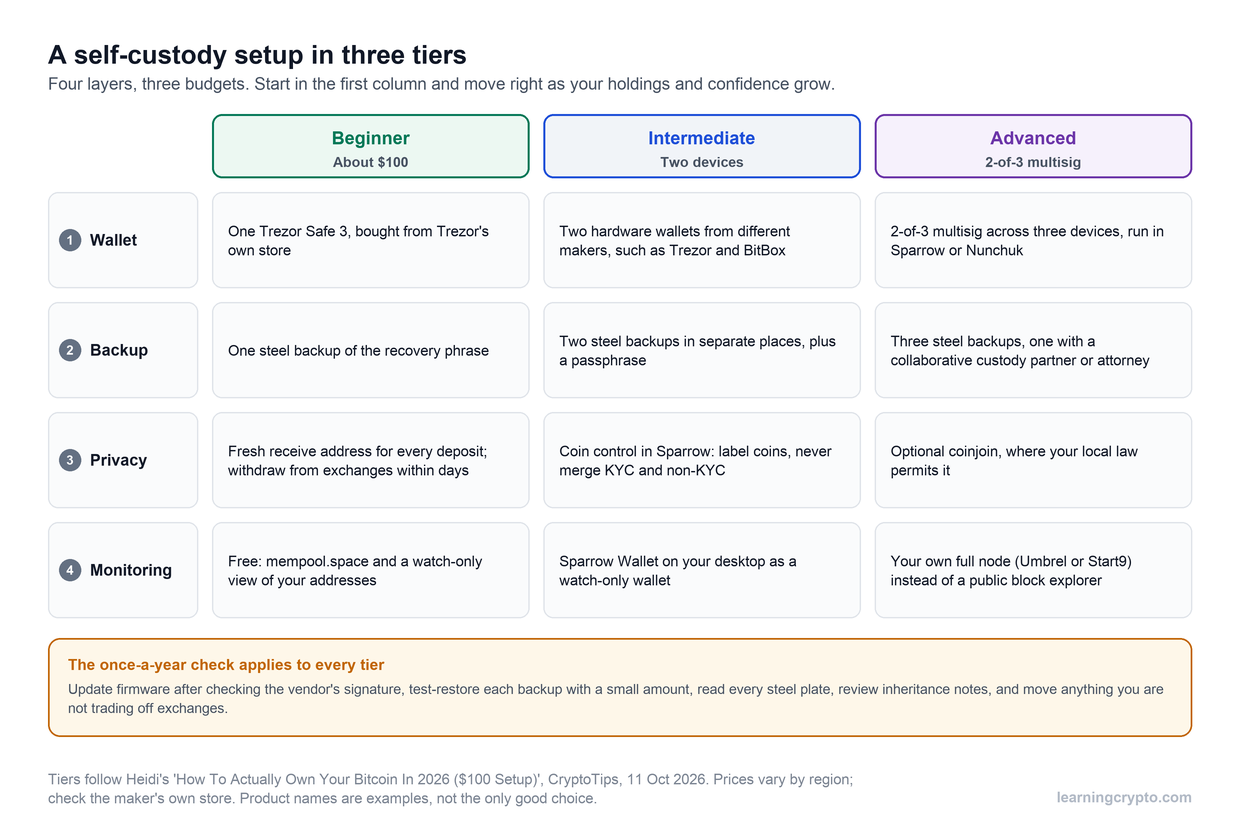
Hardware wallets like Ledger or Trezor show your Bitcoin address on the device screen. This is a critical security feature.
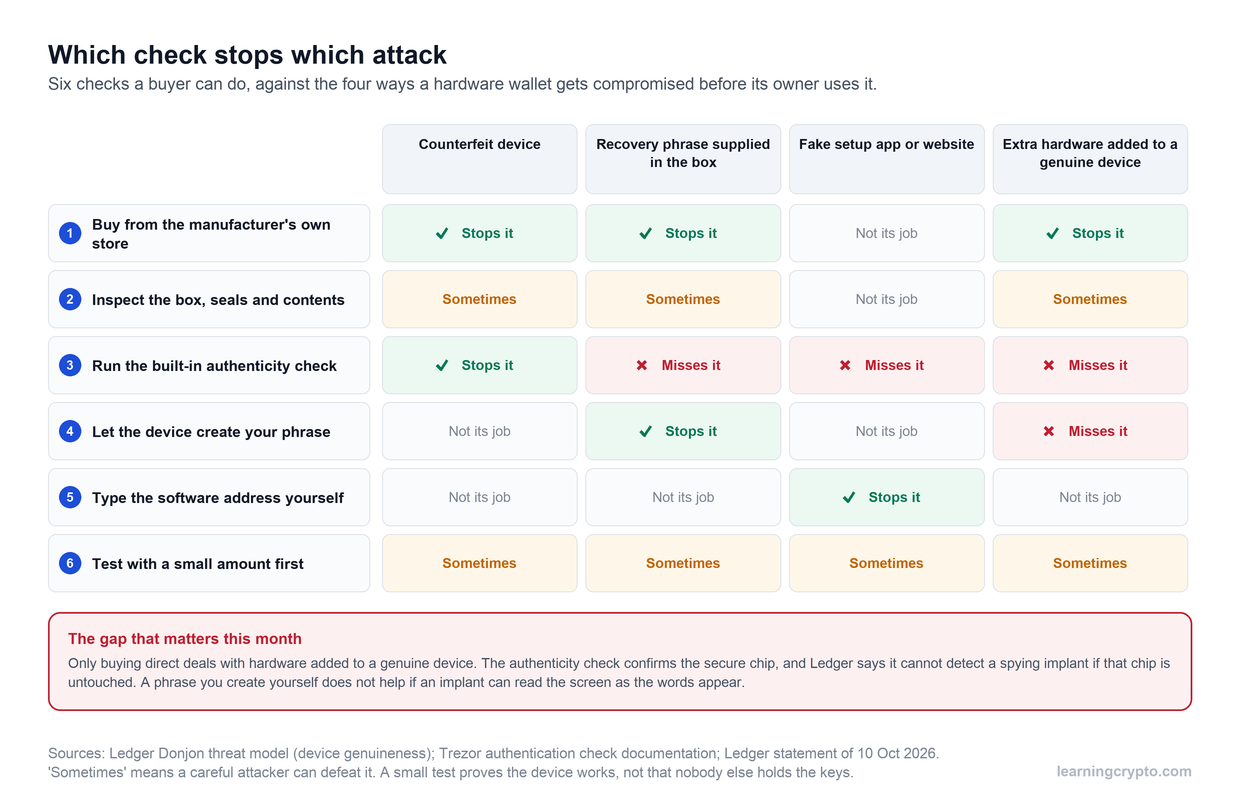
When you request a receiving address, the hardware wallet displays it both on your computer and on the device screen. Always verify they match. Malware on your computer could potentially show you a different address than what your hardware wallet actually generated. Checking the device screen protects against this.
Hardware wallets let you choose address formats in their settings. Set it to Native SegWit for the best fee efficiency.
Exchange Bitcoin Addresses
When you want to receive Bitcoin at an exchange, go to your Bitcoin wallet section and look for "Deposit" or "Receive Bitcoin." The exchange generates a deposit address for you.
Important warning: Exchange addresses rotate. After you deposit Bitcoin to an exchange address, that address might become inactive. Always generate a fresh address from the exchange each time you want to deposit. Don't reuse old exchange deposit addresses from previous transactions.
Most major exchanges now provide Native SegWit deposit addresses by default. Some still offer Legacy addresses as an option for users with older wallets.
HD Wallets and Multiple Addresses
Modern Bitcoin wallets use Hierarchical Deterministic (HD) technology. This means your wallet can generate unlimited addresses from a single seed phrase.
HD wallets automatically generate a new address every time you click "Receive." This improves privacy because you're not reusing the same address repeatedly. All addresses generated from your seed phrase belong to you and show up in your wallet balance.
You don't need to worry about managing multiple addresses manually. Your wallet handles this automatically and shows your total balance across all addresses.
Sending and Receiving Bitcoin Safely
Receiving Bitcoin: Step-by-Step
Step 1: Open your Bitcoin wallet. Launch your wallet app or software (mobile, desktop, or hardware wallet).
Step 2: Generate a fresh receiving address. Look for "Receive," "Receive Bitcoin," or a QR code icon. Click or tap it. Your wallet displays a QR code with the address below it.
Step 3: Verify it's a Bitcoin address. Check that the address starts with 1, 3, or bc1. If you see 0x at the beginning, that's an Ethereum address. If it starts with something else, you're looking at the wrong wallet.
Step 4: Share your address. Copy the address and send it to whoever is paying you. If you're in person, let them scan your QR code directly. QR codes eliminate typos.
Step 5: Track the incoming transaction. After they send, you can monitor the transaction on blockchain.com or mempool.space. Paste your address or the transaction ID into the search bar.
Step 6: Wait for confirmations. For small amounts, one confirmation is usually fine (about 10 minutes). For large amounts, wait for 6 confirmations before considering it final (about 60 minutes total).
Sending Bitcoin: Step-by-Step
Step 1: Get the recipient's address. Ask them to generate a fresh receiving address specifically for your transaction. Don't reuse old addresses, especially from exchanges.
Step 2: Verify it's a Bitcoin address. Check that it starts with 1, 3, or bc1. Make sure it's not an Ethereum address (0x) or another cryptocurrency.
Step 3: Open your wallet's send function. Look for "Send," "Send Bitcoin," or a paper plane icon in your wallet.
Step 4: Paste the recipient's address. Copy their address and paste it into the recipient field in your wallet.
Step 5: Check the address characters. This is critical. Compare the first 6 characters and last 6 characters of the pasted address with the original. Malware can swap addresses in your clipboard. If they don't match exactly, stop immediately.
Step 6: Send a test transaction first (for new addresses). If you've never sent to this address before, send a small amount first ($5-10 worth). Wait for it to be confirmed. Verify the recipient got it. Then send the rest. This extra transaction fee is worth it.
Step 7: Enter the amount. Type how much Bitcoin you want to send. Double-check the amount.
Step 8: Choose your fee. Higher fees get confirmed faster. Lower fees might take hours during busy periods. Most wallets suggest an appropriate fee based on current network conditions.
Step 9: Review everything one final time. Check the recipient address (first and last 6 characters), the amount, and the fee. Once you click send, you cannot undo this.
Step 10: Send and save the transaction ID. Click send. Your wallet will show a transaction ID (TXID). Copy and save this. You can use it to track the transaction on blockchain explorers.
Step 11: Monitor the transaction. Paste your TXID into blockchain.com or mempool.space to watch it get confirmed. The recipient should see it appear in their wallet after the first confirmation.
Want the full walkthrough on choosing wallets and setting up secure sends? Here's our complete guide to sending Bitcoin between wallets.
Common Bitcoin Address Mistakes to Avoid
Sending to the Wrong Network
This is the number one way people lose Bitcoin permanently.
You're trying to send Bitcoin. You copy an Ethereum address by mistake. Hit send. The Bitcoin goes into a black hole.
Some exchanges offer "Wrapped Bitcoin" on Ethereum or other networks. That's not real Bitcoin-it's a tokenized version that uses Ethereum addresses (starting with 0x). Send actual Bitcoin to one of these addresses and it's gone forever.
Always match: Asset → Network → Address format
Not Double-Checking the Address Before Sending
Clipboard malware is surprisingly common. You copy an address, malware swaps it with an attacker's address, you paste and send Bitcoin to someone else entirely.
Check the first six characters of the address you pasted. Check the last six characters. Compare them to the original. If even one character is different, don't send.
Copying Only Part of the Address
Bitcoin addresses are long - 26 to 62 characters depending on the format. Copy the entire thing.
Copying only part of an address will result in an invalid address that your wallet won't let you send to. But worse, if you manually type or reconstruct part of it incorrectly, you might create a valid but wrong address.
Always copy the complete address. Use the copy button in the wallet rather than manually selecting text. Better yet, use QR codes when possible, as they eliminate manual copying entirely.
Forgetting to Account for Transaction Fees
You want to send someone exactly $100 worth of Bitcoin. You calculate the BTC amount based on the current price and send it all.
But transaction fees come out of your balance. The recipient gets slightly less than $100.
When sending specific amounts, factor in the transaction fee. Either add extra to cover the fee, or make sure you're clear with the recipient about it in advance.
Can Someone Track Me Using My BTC Wallet Address?
Bitcoin isn't anonymous. It's pseudonymous, and there's a big difference.
What Anyone Can See:
Paste your Bitcoin address into a blockchain explorer, and they'll see:
Every transaction in and out of that address
The current balance
When transfers happened and how much moved
Other addresses you've transacted with
What They Can't See:
Your name or identity
Your physical location
Your email or personal information
Your private keys
Think of it like watching money move between numbered bank accounts. You can see account 12345 sent $500 to account 67890 on Tuesday, but you don't know who owns those accounts.
Why Address Reuse Kills Privacy
Give someone the same Bitcoin address for multiple transactions, and they can watch your entire financial activity. They'll see how much Bitcoin you hold, who else you transact with, and your spending patterns.
HD wallets solve this by generating a new address every time you click "Receive." Each address is still yours and shows in your balance, but outside observers can't easily connect them. It's like having multiple numbered accounts instead of just one.
Improving Your Privacy
Use a fresh address for every transaction. Most modern wallets do this automatically.
Taproot addresses (bc1p) add another layer by making different transaction types look identical on the blockchain.
Never reuse addresses if privacy matters to you.
The Bottom Line on Bitcoin Addresses
Bitcoin addresses boil down to four formats, but in most cases, you'll only use Native SegWit (bc1q).
Pick the right format once, stay alert when sending, and you're set.
Bitcoin addresses are just the start. If you want live on-chain data, smart-money wallet tracking, and an AI assistant that answers crypto questions with real blockchain insights instead of generic explanations, check out LearningCrypto.
No hype, no shilling, just knowledge and tools that help you understand what's actually happening in crypto markets.
Get Started Today
FAQs
Can I use the same Bitcoin address multiple times?
Yes, it works. Your wallet will receive Bitcoin sent to any address it's ever generated. But it's bad for privacy - anyone can see your entire transaction history and balance for that address on a blockchain explorer. Modern wallets generate new addresses automatically for a reason. Use them.
What happens if I send Bitcoin to an old address I used years ago?
It still works as long as you control the wallet that generated it. Your seed phrase controls all addresses derived from it, past and present. The Bitcoin will show up in your current wallet balance. Just don't expect old exchange deposit addresses to work. Those often rotate and become inactive after use.
Do hardware wallets generate different addresses than software wallets?
They generate the same address formats (Legacy, Native SegWit, Taproot), just with better security. The address format depends on the derivation path your wallet uses, not whether it's hardware or software. What makes hardware wallets safer is that your private keys never touch your computer or phone.
Can I generate a Bitcoin address offline?
Certainly. Hardware wallets do this by default. You can also generate addresses on an air-gapped computer that's never touched the internet. The address derives mathematically from your private key-no internet connection required. This is how cold storage works for maximum security.
Disclaimer: This article is for educational purposes only and does not constitute financial advice. Cryptocurrency investments carry risk; you should always do your own research before making any investment decisions.
This guide is part of stage 4 of 8, buying your first crypto, in the free Learning Crypto curriculum. Next: How to Send Bitcoin to Another Wallet: A Step-by-Step Guide.
Keep learning
- What Is Wrapped BTC (WBTC)
- Comprehensive Guide to Bittensor Wallets: Securing Your TAO
- A Complete Guide to Cryptocurrency Taxes
- More guides in the Bitcoin hub
- Members: Satoshi Indicator, a daily Bitcoin DCA signal for members