
Quick Start Guide: Sending Bitcoin in 7 Simple Steps
If you’re in a hurry and simply want to know how to send Bitcoin to someone without all the explanations, here’s the short version:
Get the recipient’s Bitcoin address
Ask them to send it directly. It should be a string starting with 1, 3, or bc1Open your Bitcoin wallet
Use whichever wallet you already have BTC in (mobile, desktop, hardware, or exchange).Tap “Send” or “Withdraw”
Different wallets label it differently, but the action is the same: this is how to transfer Bitcoin out.Paste (or scan) the recipient’s address
After pasting, always check that the first 6 and last 6 characters match exactly.Enter the amount of Bitcoin you want to send
You can type the amount in BTC or in your local currency.Choose your fee speed
Higher fee = faster confirmation. Lower fee = slower, cheaper.Double-check everything and hit Send
Once it’s on the blockchain, it cannot be reversed. Your wallet will give you a transaction ID to track it.
If you want the full version, read on.
Sending Bitcoin for the first time feels a bit like transferring money online in 1999. It's exciting, a little intimidating, and you'll probably triple-check it before hitting the button.
And that's totally normal. When you're dealing with something that's both valuable and irreversible, being cautious is simply good practice.
Millions of Bitcoin transactions happen every day without issues. Once you understand the process, you'll realize it's straightforward, and you'll be able to do it confidently whenever needed.
What You Need Before You Start

Let’s keep this simple. You only need a handful of things before sending your first Bitcoin transaction.
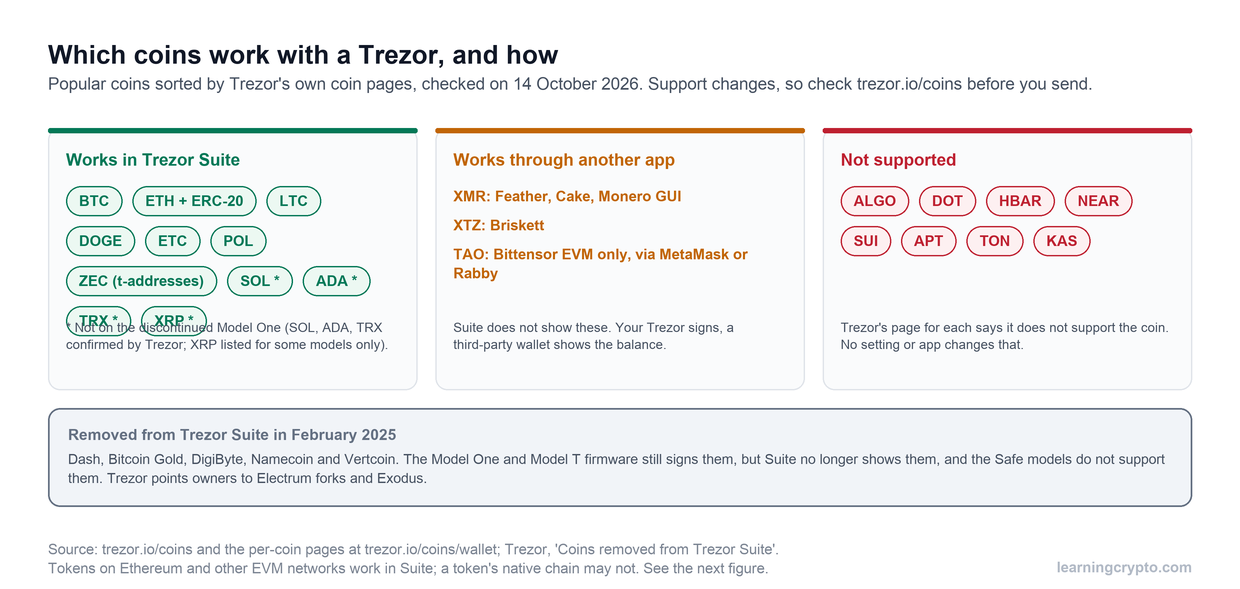
A wallet with Bitcoin in it – Could be a mobile app (Trust Wallet, Exodus), desktop software (Electrum), hardware device (Ledger, Trezor), or an exchange account (Coinbase, Kraken).
The recipient's Bitcoin address – This looks like a random string of 26-62 characters. It'll start with either 1, 3, or bc1.
Enough Bitcoin for the amount plus fees – Transaction fees are separate from what you're sending.
A stable internet connection – You don't want to get disconnected mid-transaction.
A few minutes of focus – Not something to do while walking the dog or watching TV.
What a Bitcoin Address Actually Is
A Bitcoin address is basically the equivalent of an email address, but for receiving Bitcoin. They look something like this:
bc1qxy2kgdygjrsqtzq2n0yrf2493p83kkfjhx0wlh
There are three main types of Bitcoin addresses, but the different technicalities aren’t important.
Legacy addresses start with "1"
SegWit addresses start with "3"
Native SegWit addresses (the newest format) start with "bc1."
You can send Bitcoin between any of these types without any compatibility issues.
What matters is getting the address exactly right. Every single character counts, and addresses are case-sensitive. Always get the address directly from the person you're sending to. Never use an address from an old message without confirming it's still valid, because some services generate new addresses regularly.
Bitcoin addresses work similarly to addresses for other cryptocurrencies, though each has its own format. If you're working with multiple cryptocurrencies, our Guide to Crypto Wallet Addresses explains how different address types work across various blockchains.
The One Rule You Can't Break
Here's the thing about Bitcoin that makes it both powerful and nerve-wracking: transactions are permanent. Once you send Bitcoin to an address, it's gone.
Send it to the wrong address? That Bitcoin is lost forever. Make a typo? Gone. Fall for a scammer's fake address? Your Bitcoin is now theirs.
This isn't meant to scare you off, but it does explain why people get a little paranoid about double-checking addresses. That paranoia is actually healthy in this context.
Crypto Learning Tip: When sending Bitcoin to someone for the first time, many people send a small test amount first (typically $10 or $20). Once that arrives safely, they send the rest. Losing $10 to verify an address works is infinitely better than losing $10,000 to a wrong address.
Stay safe by reading our Bitcoin Security Tips Guide.
How to Send Bitcoin (Full Step-by-Step)
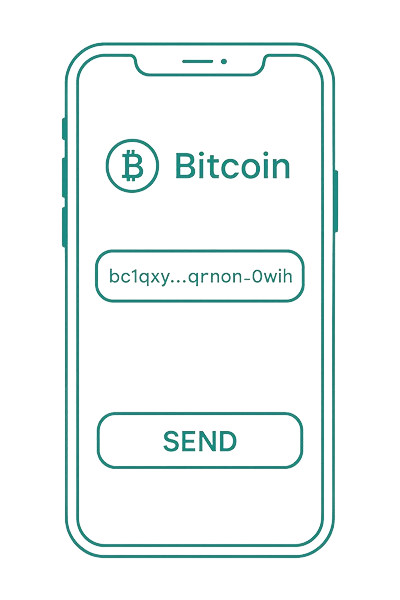
Step 1: Get the Correct Bitcoin Address
Ask the recipient to send you their Bitcoin address. They should copy it directly from their wallet and send it through a secure channel, such as a text message, encrypted messaging app, or email.
One more thing: don't reuse old addresses without checking. Some wallets and exchanges generate new addresses for every transaction. Always get a fresh address confirmation before sending.
Step 2: Open Your Wallet and Find Your Balance
Launch whatever crypto wallet holds your Bitcoin.
Check that your balance is fully synced and shows the correct amount. Most modern wallets sync automatically, but it's worth confirming you're seeing accurate, up-to-date information.
Make sure you’re on Bitcoin (BTC), not Bitcoin Cash (BCH) or another coin.
Step 3: Tap the Send Button
Look for "Send," "Transfer," or "Withdraw," depending on your wallet type. Exchange wallets usually say "Withdraw" instead of "Send," but it's the same function. Some wallets use an arrow icon or a paper plane symbol.
Once you tap it, you'll see a form with several fields to fill in. Take your time with this part. There's no rush.
Step 4: Enter the Recipient's Address
You've got two ways to do this:
Paste the address: Tap the "Recipient" or "To" field and paste the address you copied earlier. The moment you paste it, stop and verify. Check that the first 6 and last 6 characters match what the recipient sent you.
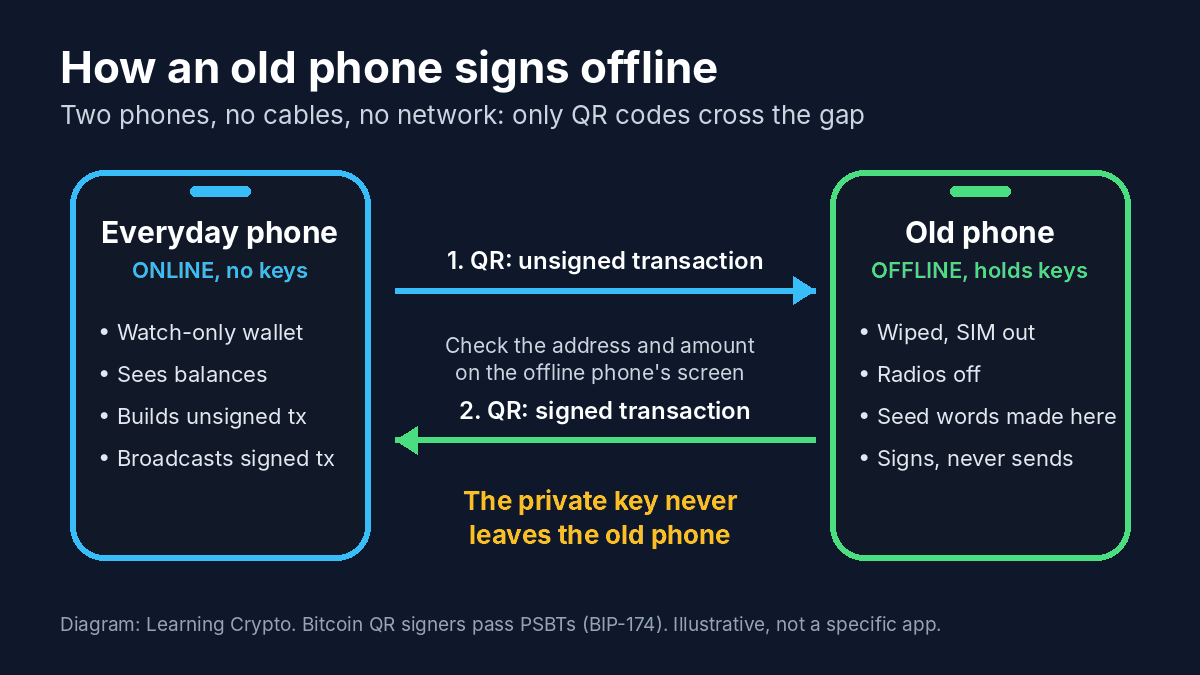
Scan a QR code: If the recipient can show you a QR code (either in person or via screen share), tap the QR scanner icon in your wallet. Point your camera at their QR code, and it'll automatically populate the address field.
Character-for-character verification matters here. If you see bc1qxy2...x0wlh in your wallet, make absolutely certain the recipient's address is also bc1qxy2...x0wlh. One wrong character sends your Bitcoin to the wrong place forever.
Step 5: Enter the Amount You're Sending
Most wallets let you enter the amount in two ways:
In Bitcoin (BTC): Type something like 0.05 BTC. The wallet will show you what that's worth in dollars or your local currency, which helps you confirm you've got the right amount.
In dollars (or your currency): Some wallets let you type $100 (or whatever amount), and they'll automatically calculate how much Bitcoin that is at the current exchange rate. This can be easier if you're thinking in terms of "I want to send them $100 worth."
Leave enough Bitcoin in your wallet to cover the transaction fee. If you want to empty your wallet completely, look for a "Max" or "Send All" button. This automatically calculates how much you can send after deducting the necessary fee.
Step 6: Choose Your Transaction Fee
Bitcoin transaction fees aren't fixed; they fluctuate based on how busy the network is. Most wallets offer three options:
Low/Economy – Cheapest option, but it might take several hours or even days to confirm
Medium/Standard – Balanced choice, usually confirms within 30 minutes to 2 hours
High/Priority – Most expensive, typically confirms within 10-30 minutes
How do you choose? Consider how urgent this is. Paying someone who's waiting for the Bitcoin before shipping you something? Go with High. Moving Bitcoin between your own wallets, and you're in no rush? Economy works fine.
The fee is based on the data size of your transaction, not the dollar amount you're sending. Sending $100 of Bitcoin can cost the same fee as sending $10,000 of Bitcoin.
Step 7: Review Everything One More Time
This is the moment when Zoom brain and half-attention mistakes happen. Slow it down for 10 seconds.
Before you hit that final button, go through this checklist:
✓ Recipient address (first 6, last 6 characters minimum)
✓ Amount you're sending (in both BTC and dollars)
✓ Transaction fee (shown separately)
✓ Total cost (amount + fee)
✓ You're sending Bitcoin (BTC), not Bitcoin Cash or something else
Take a screenshot of this screen. You'll have a record of exactly what you sent, to whom, and when. This can be valuable for tracking, troubleshooting, or tax records.
Step 8: Hit Send and Save Your Transaction ID
Once you're confident everything is correct, tap "Send," "Confirm," or whatever your wallet calls the final button.
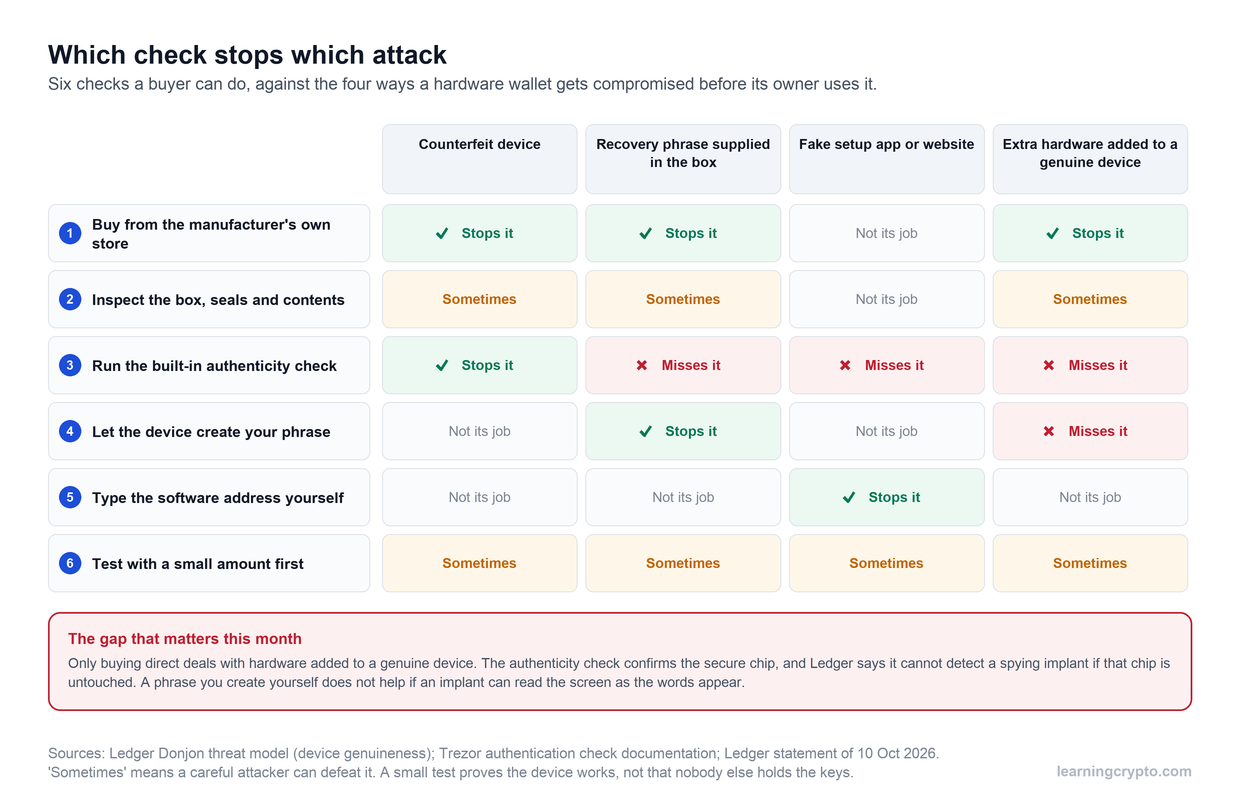
If you're using a hardware wallet like Ledger or Trezor, you'll need to physically verify the address on the device's screen and press the button on the device itself.
The moment you confirm, your transaction broadcasts to the Bitcoin network. You'll see a transaction ID (TXID), a long string of letters and numbers that uniquely identifies your transaction. Copy this and save it somewhere. You'll use it to track your Bitcoin's journey.
Your wallet will show the transaction as "Pending" or "Unconfirmed" initially. Now you wait for miners to include it in a block.
What Happens After You Hit Send (Tracking Your Transaction)
Miners process transactions and secure the Bitcoin network by solving complex mathematical puzzles. Transaction fees compensate them for this work. When you send Bitcoin to another wallet, you're essentially entering an auction for space in the next block.
Once you hit Send, your Bitcoin transaction becomes traceable in two simple ways.
1. Inside Your Wallet
Your wallet will usually show the transaction instantly under your history tab. It starts as Pending, then moves through 1 confirmation, 2 confirmations, and so on until it reaches Completed.
Bitcoin aims for a new block roughly every 10 minutes, but real-world times can vary depending on network congestion and the fee you choose. Most wallets consider a transaction fully settled after 3–6 confirmations.
2. Using a Blockchain Explorer
For a clearer and more detailed view, paste your TXID into a blockchain explorer, such as blockchain.com, blockchair.com, or mempool.space. You’ll see how many confirmations your transfer has, when it was broadcast, and the exact fee paid. You can also send the TXID to the recipient so they can track the progress from their side, too.
Common Mistakes When Sending Bitcoin
Sending to the wrong address
This is the nightmare scenario. Always copy-paste addresses rather than typing them. Always verify the first and last 6 characters after pasting. Always send a small test transaction to new addresses. These simple habits prevent permanent losses.
Selecting the wrong cryptocurrency
Some wallets support Bitcoin, Bitcoin Cash, Litecoin, and dozens of other coins. Make absolutely certain you're on the Bitcoin (BTC) section before sending. Sending Bitcoin Cash to a Bitcoin address (or vice versa) can result in lost funds.
Not accounting for fees
Running out of Bitcoin to cover fees is frustrating. Always keep a little extra beyond what you want to send, or use the "Max" button, which automatically deducts fees from your balance.
Setting fees too low
Your transaction can get stuck in limbo if you go too cheap during busy periods. When in doubt, choose "Medium" or pay a little extra for peace of mind. Some wallets allow you to speed up stuck transactions by increasing the fee later, but not all do.
Not keeping records
Save that transaction ID immediately. Take screenshots of your transaction details. Keep records for tracking and tax purposes.
Different Wallet Types: What to Expect
Mobile wallets (Trust Wallet, Coinbase Wallet, Exodus) are the most convenient for everyday use. They make scanning QR codes easy and work great for smaller amounts. Enable biometric authentication for security.
Desktop wallets (Electrum, Exodus Desktop) give you more control over advanced settings like custom fees. The larger screen makes address verification easier. Good for managing larger amounts from home.
Hardware wallets (Ledger, Trezor) are the most secure option for serious holdings. You must physically approve transactions on the device itself. The process is slightly slower, but the security is unmatched. Always verify addresses on the device screen, not just your computer screen.
Exchange wallets (Coinbase, Kraken, Binance) technically aren't "your" wallet, as the exchange controls the Bitcoin. They use "Withdraw" instead of "Send" terminology. Transfers between users on the same exchange are often instant and free, but withdrawing to an external wallet involves standard network fees.
If Something Goes Wrong
Stuck transaction?
It is likely that the fee was too low. Most wallets will still confirm it eventually.
Some support tools, like Replace-By-Fee (RBF), can speed it up.
Wrong address?
If it’s truly the wrong address, there’s no recovery. If it’s your own other wallet, you can still access it using the private keys.
Wallet error?
Usually:
Insufficient balance
Invalid address format
Outdated app
Internet glitch
Restart the wallet and try again.
Sending Bitcoin Successfully
Once you’ve sent Bitcoin a couple of times, the whole process becomes second nature. Just move slowly and verify everything until you feel completely comfortable.
After that, you’ll know exactly how to send Bitcoin to someone safely any time you need to.
Keep your crypto learning moving forward
Learning Crypto combines AI-powered education with powerful, intuitive tools to track your portfolio and gain a deeper understanding of the market.
Start learning with Learning Crypto today →
FAQs
How long does it take to send Bitcoin to another wallet?
It depends on the transaction fee you choose and the current network congestion. With a standard fee, you'll typically see the first confirmation within 10-30 minutes. Most wallets consider transactions complete after 3-6 confirmations, which usually takes 30 minutes to an hour.
Do I need to send the exact amount of Bitcoin, or can I send partial amounts?
You can send any amount of Bitcoin you want, down to very small fractions. Bitcoin is divisible to eight decimal places (the smallest unit is called a satoshi, which is 0.00000001 BTC).
Why do I need to verify the Bitcoin address so carefully?
Because Bitcoin transactions are irreversible. One incorrect character in an address can permanently send your Bitcoin to the wrong place. Verifying the first and last 6 characters takes 5 seconds.
Can I send Bitcoin if the recipient's wallet is offline?
Yes. The recipient doesn't need to be online or have their wallet open to receive Bitcoin. The transaction gets confirmed on the blockchain regardless of whether their wallet is active. When they eventually open their wallet and it syncs with the network, the Bitcoin will appear in their balance.
Do I need to keep my wallet open after sending Bitcoin?
No. Once you've confirmed the transaction and it's been broadcast to the network, you can close your wallet immediately. The Bitcoin network handles the rest. Your transaction doesn't depend on your wallet staying online.
What does "dust" mean, and why won't my wallet let me send very small amounts?
"Dust" refers to tiny amounts of Bitcoin that are worth less than the fee it would cost to send them. Some wallets have minimum send amounts (like 0.0001 BTC) because sending smaller amounts doesn't make economic sense. These minimums protect you from accidentally creating transactions where the fee exceeds the amount you're sending.
This guide is part of stage 4 of 8, buying your first crypto, in the free Learning Crypto curriculum. Next: What Is DCA in Crypto? Your Complete Guide to Dollar Cost Averaging.
Keep learning
- What is a Lightning Wallet? [Explained] - How it Works?
- Comprehensive Guide to Bittensor Wallets: Securing Your TAO
- How Long Does It Take To Send or Receive Bitcoin? - Understanding Crypto Transactions
- More guides in the Bitcoin hub
- Members: Satoshi Indicator, a daily Bitcoin DCA signal for members